Everything you need to write about LunoPeak.
Boilerplate to paste, a one-page fact sheet, screenshots, brand assets, and one contact that answers.
The one-pager.
Everything you need to file copy without opening a second tab.
- Name
- LunoPeak
- Tagline
- Know what your AI agents are up to.
- Category
- Developer tools · Desktop app
- Platforms
- macOS 10.15+, Windows 10+, Linux (x86_64)
- Price
- Free. No paid tier, trial or card.
- License
- Open source, MIT
- Current version
- v2.4.0
- Built with
- Tauri · React · TypeScript · Rust
- Maker
- Timothy Murphy (idevtim.com)
- Source
- github.com/idevtim/lunopeak
- Website
- lunopeak.com
Three lengths. Pick the one that fits.
Each one is ready to paste as is. Click Copy and you’re done.
Short
Medium
Long
The marks, in the right shapes.
The icon at the sizes designers ask for, the wordmark as a vector for light and dark backgrounds, and the palette as hex.

 On light backgrounds
 On dark backgrounds
- App icon PNG · 1024×1024 698 KB Download
- App icon PNG · 512×512 181 KB Download
- App icon PNG · 256×256 54 KB Download
- Wordmark — light bg SVG · scalable < 1 KB Download
- Wordmark — dark bg SVG · scalable < 1 KB Download



✓ Please do
- Use the icon and wordmark as supplied.
- Write it as LunoPeak: one word, two capitals.
- Leave clear space around the icon equal to its corner radius.
- Use the dark-background wordmark on photos or dark UI.
✕ Please don’t
- Recolor the orange beak. It’s the brand’s anchor.
- Write Lunopeak, luno peak or LunoPEAK.
- Crop the icon. It’s one composed glyph.
- Add shadows, gradients or strokes to the wordmark.
Captured from the app.
Click any image to open it full size, or download the original PNG.
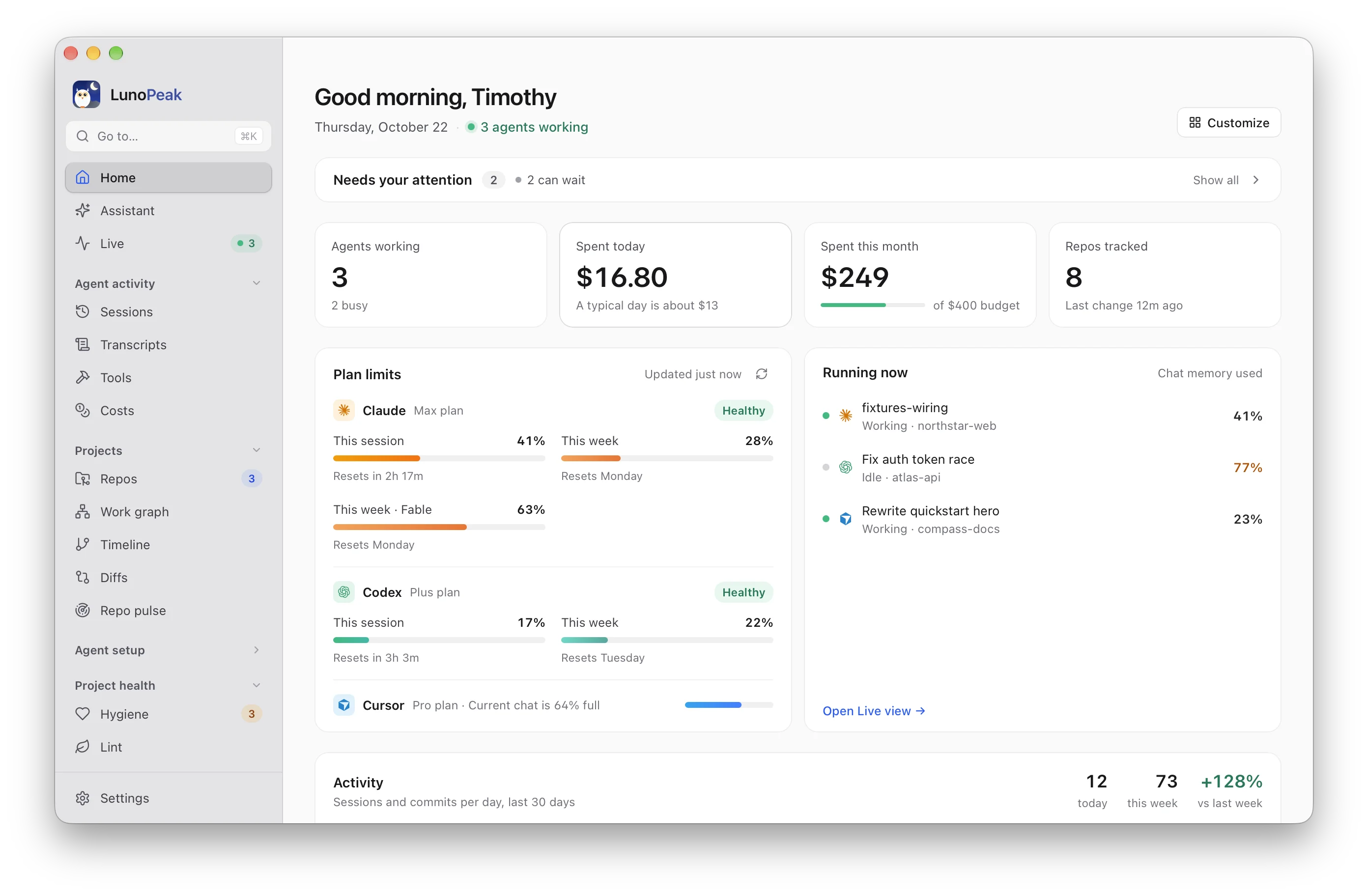
Home
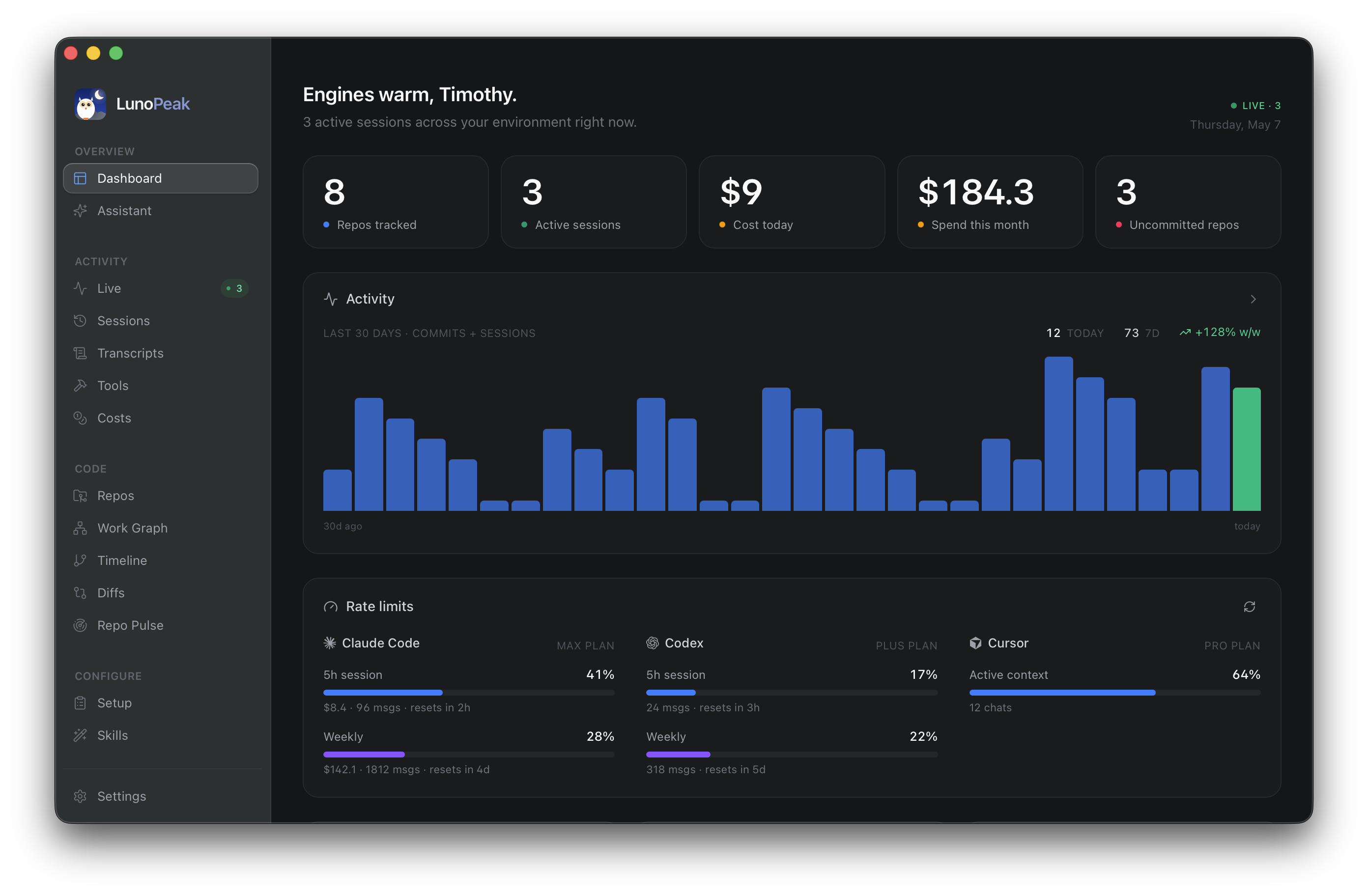
The morning glance: agents working, spend today and this month, and Claude, Codex and Cursor plan limits side by side.
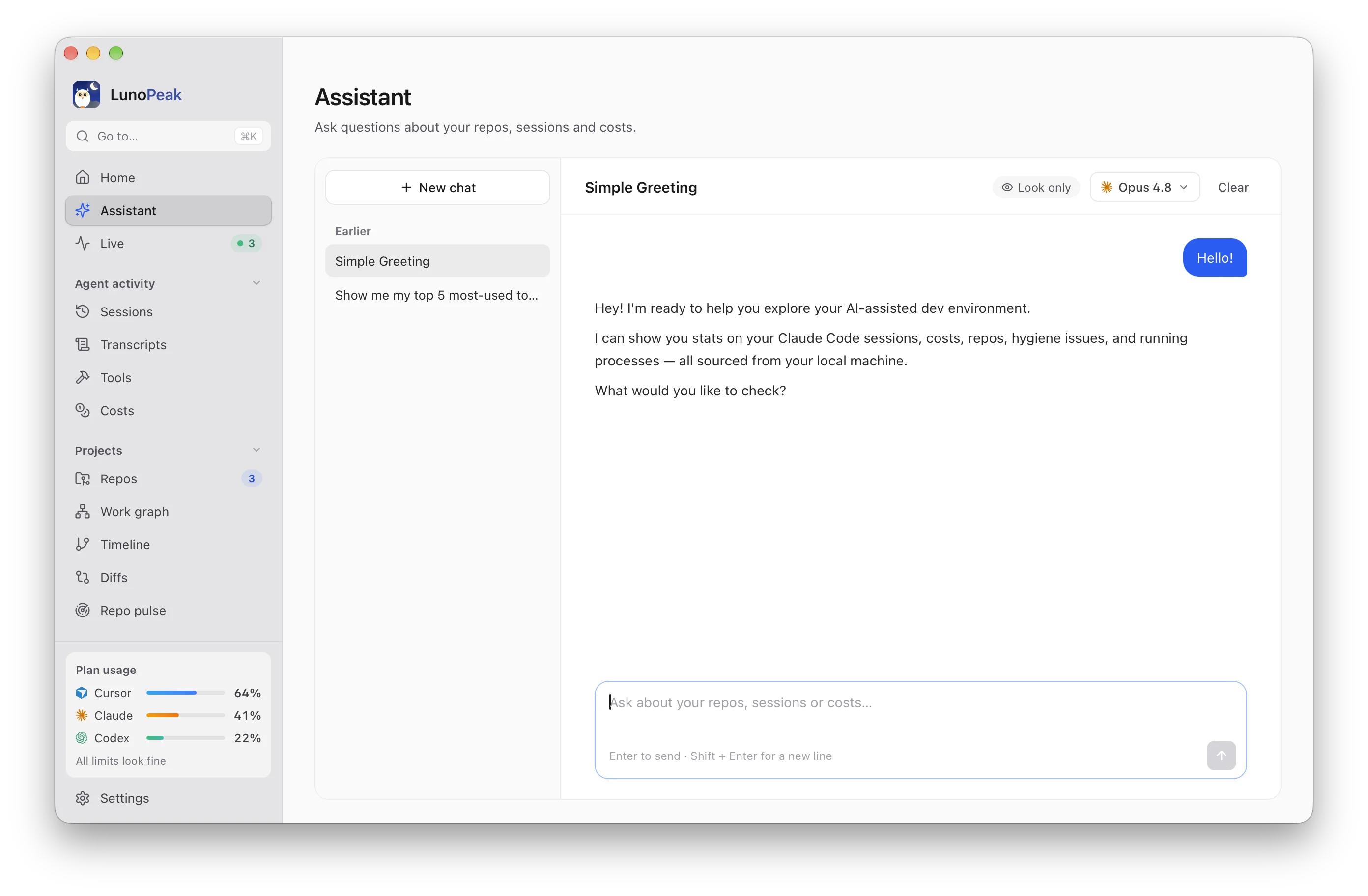
Assistant
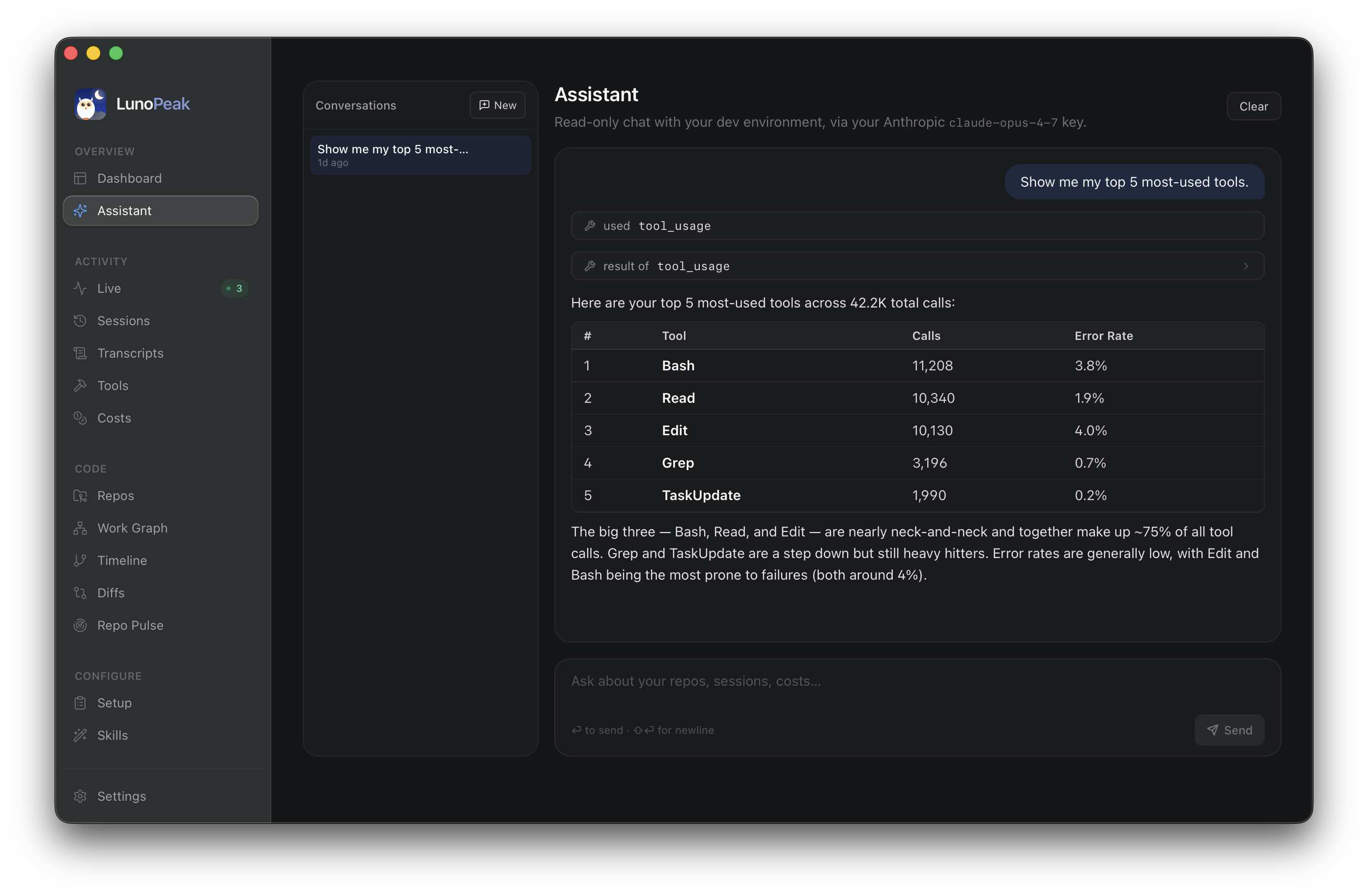
Ask about your repos, sessions and costs in plain English, using your own API key and the model you pick.
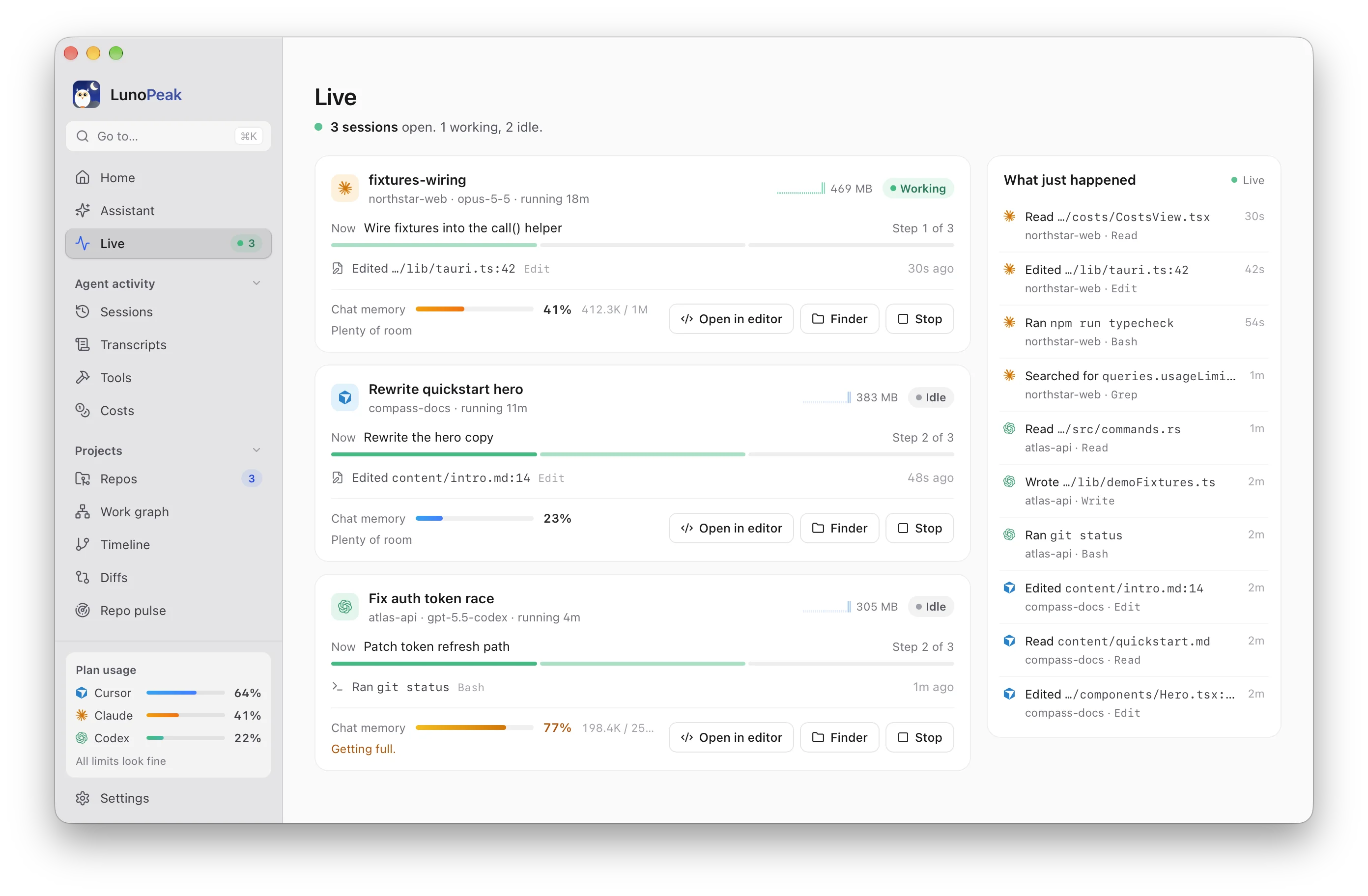
Live
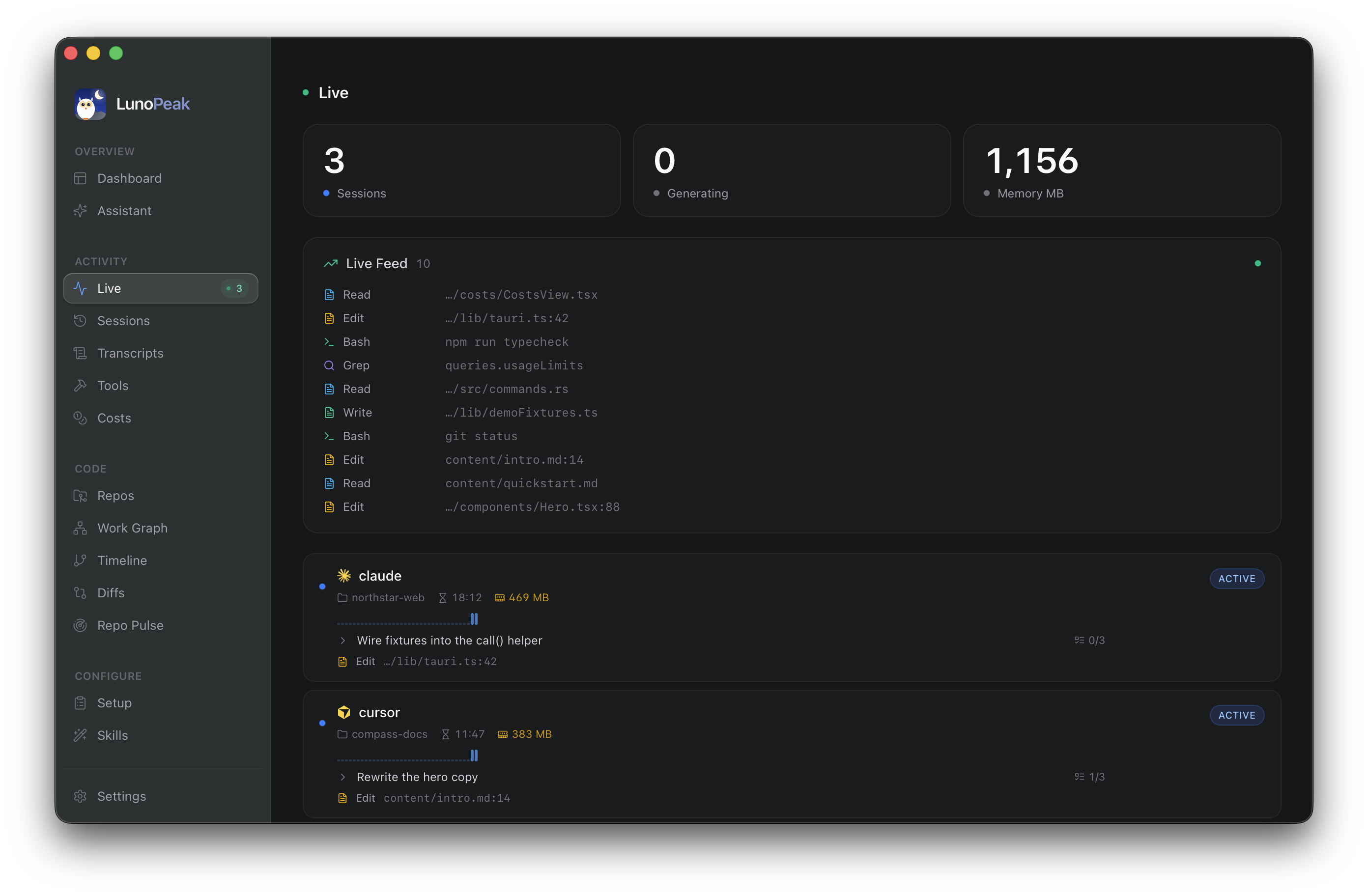
Every open session at once: the step it’s on, its last action and how full the chat is, next to a feed of what each agent just did.
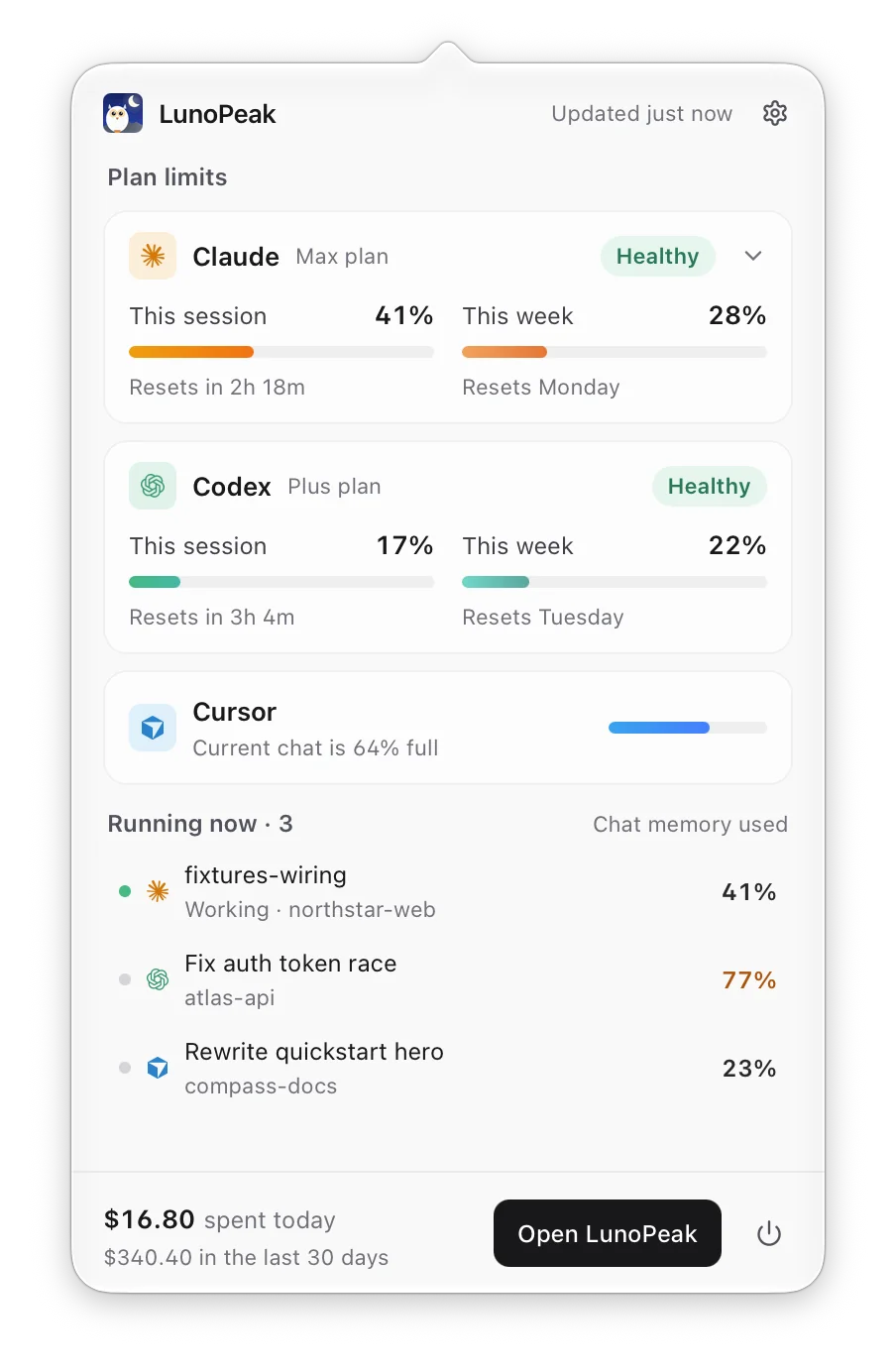
Menu bar
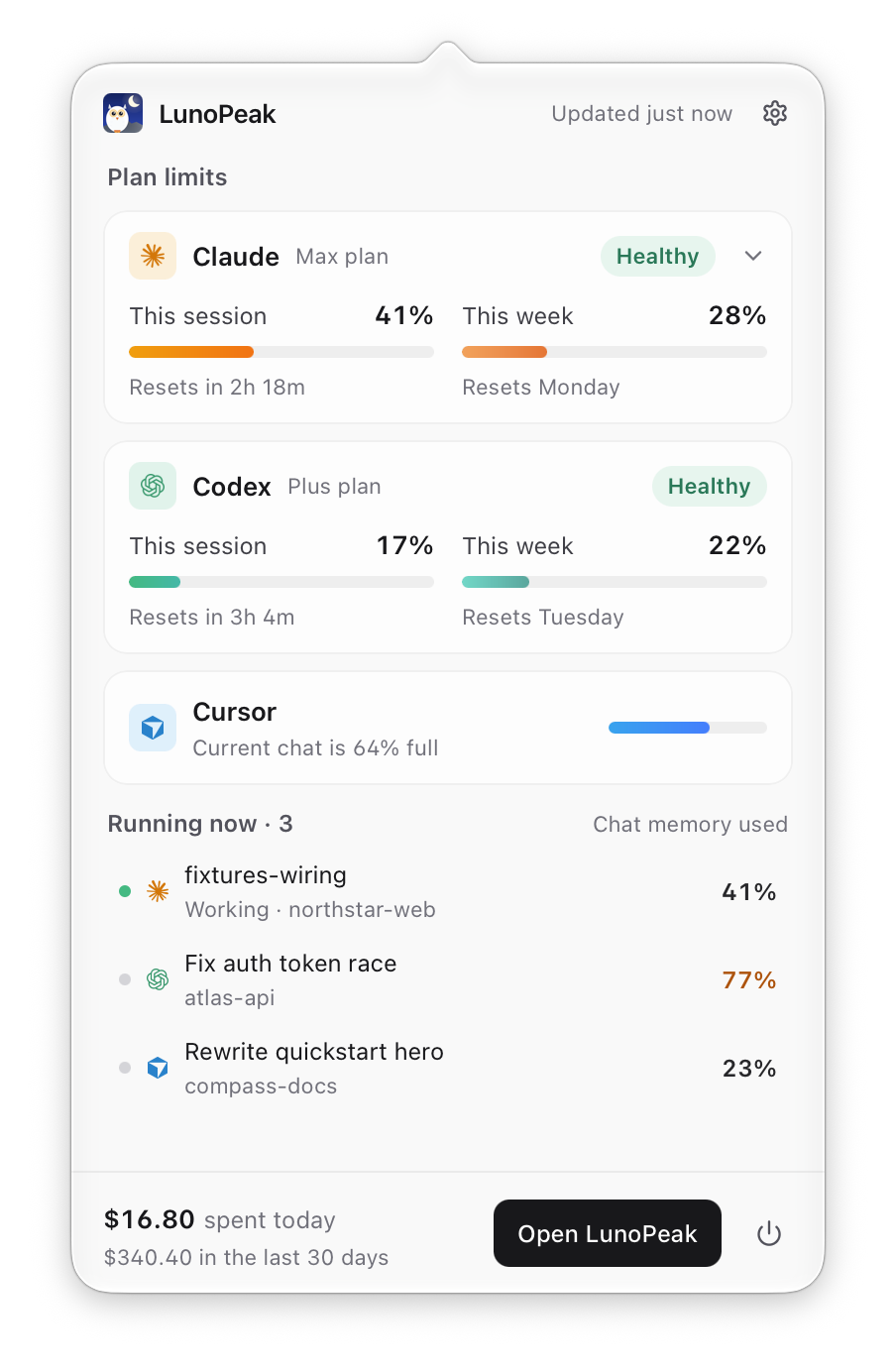
Plan limits, the agents running now and today’s spend, one click away without opening the main window.
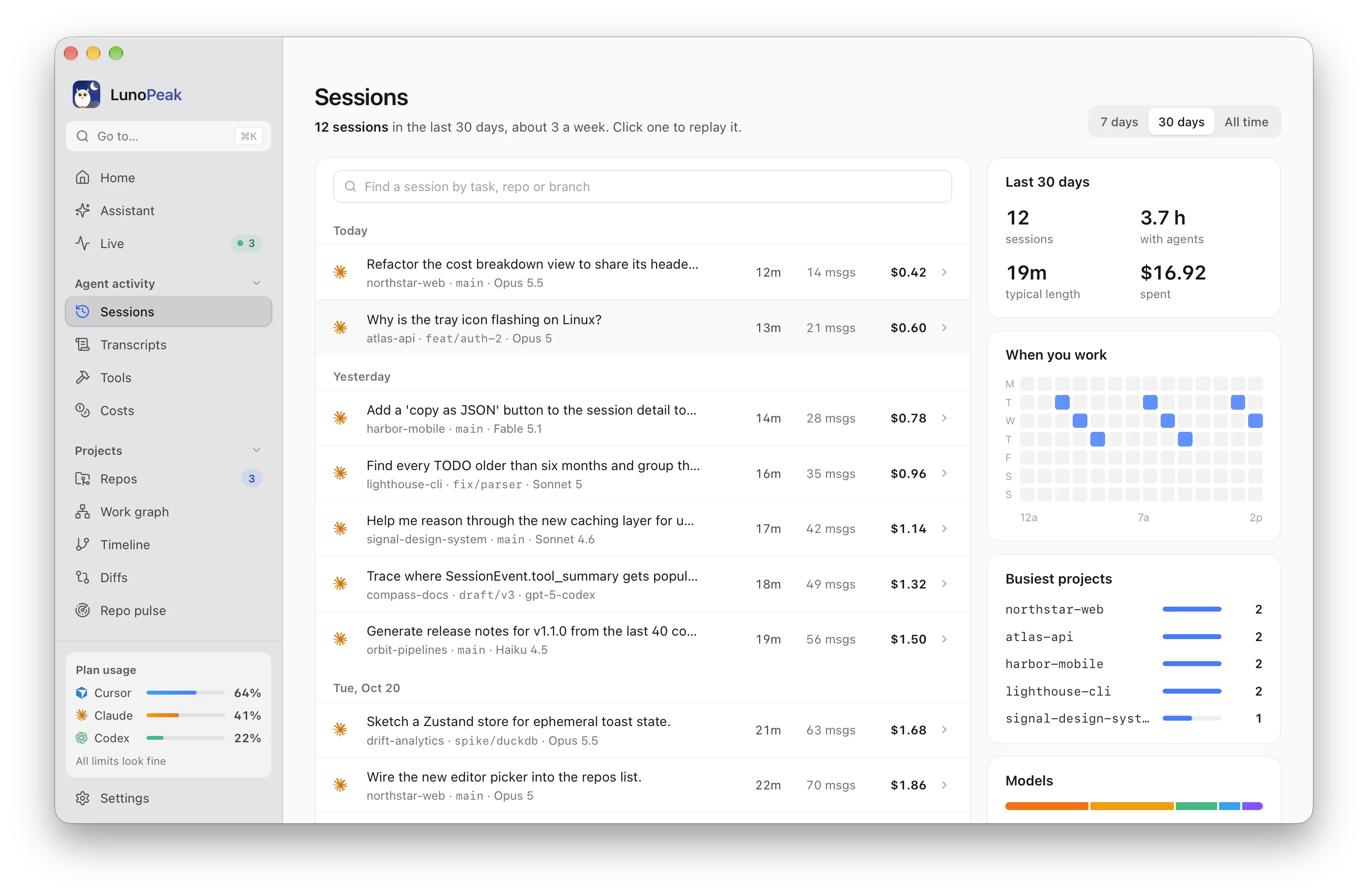
Sessions
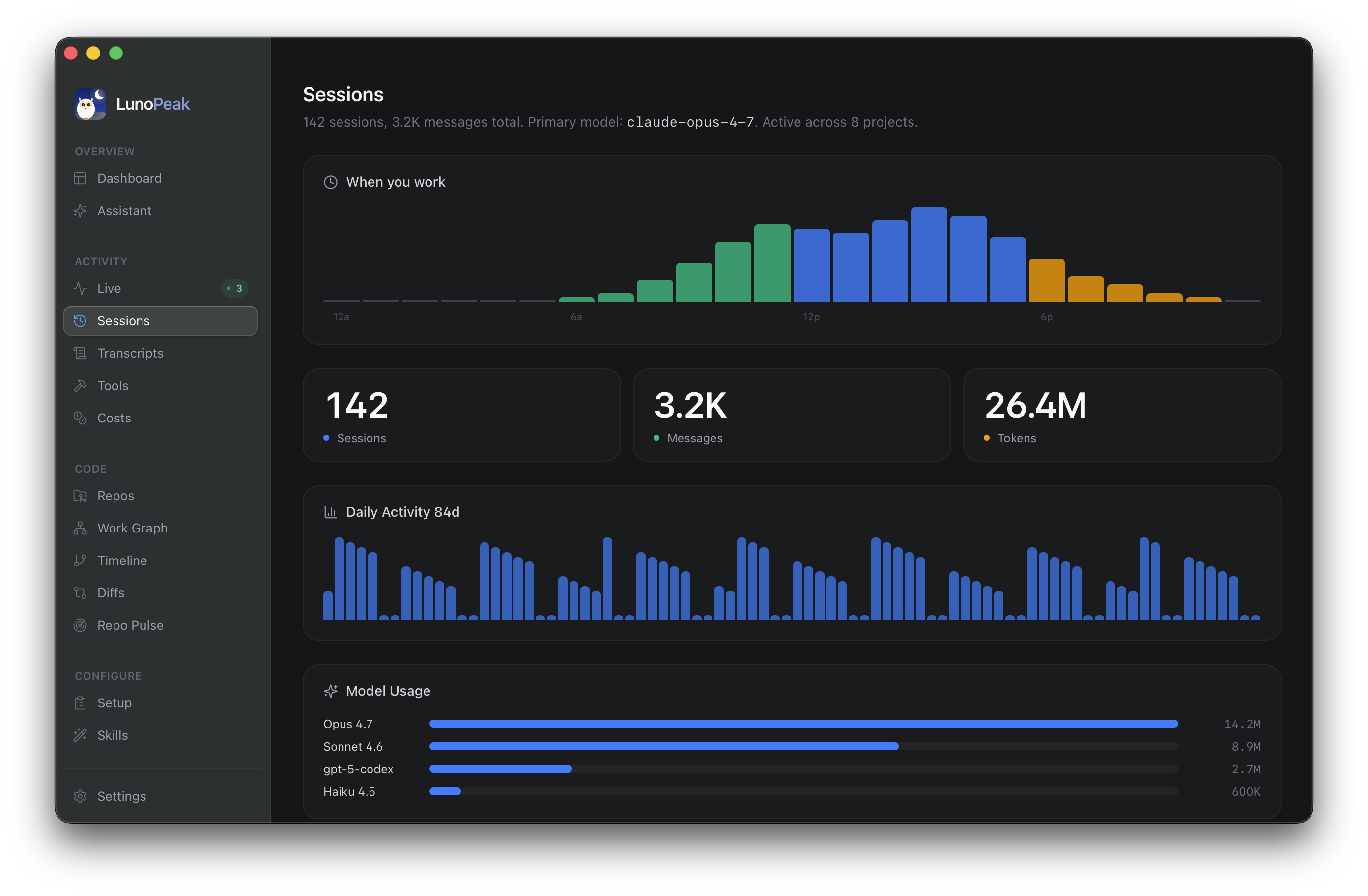
Every session, searchable by task, repo or branch, with when you work, your busiest projects and which models you use. Click one to replay it.
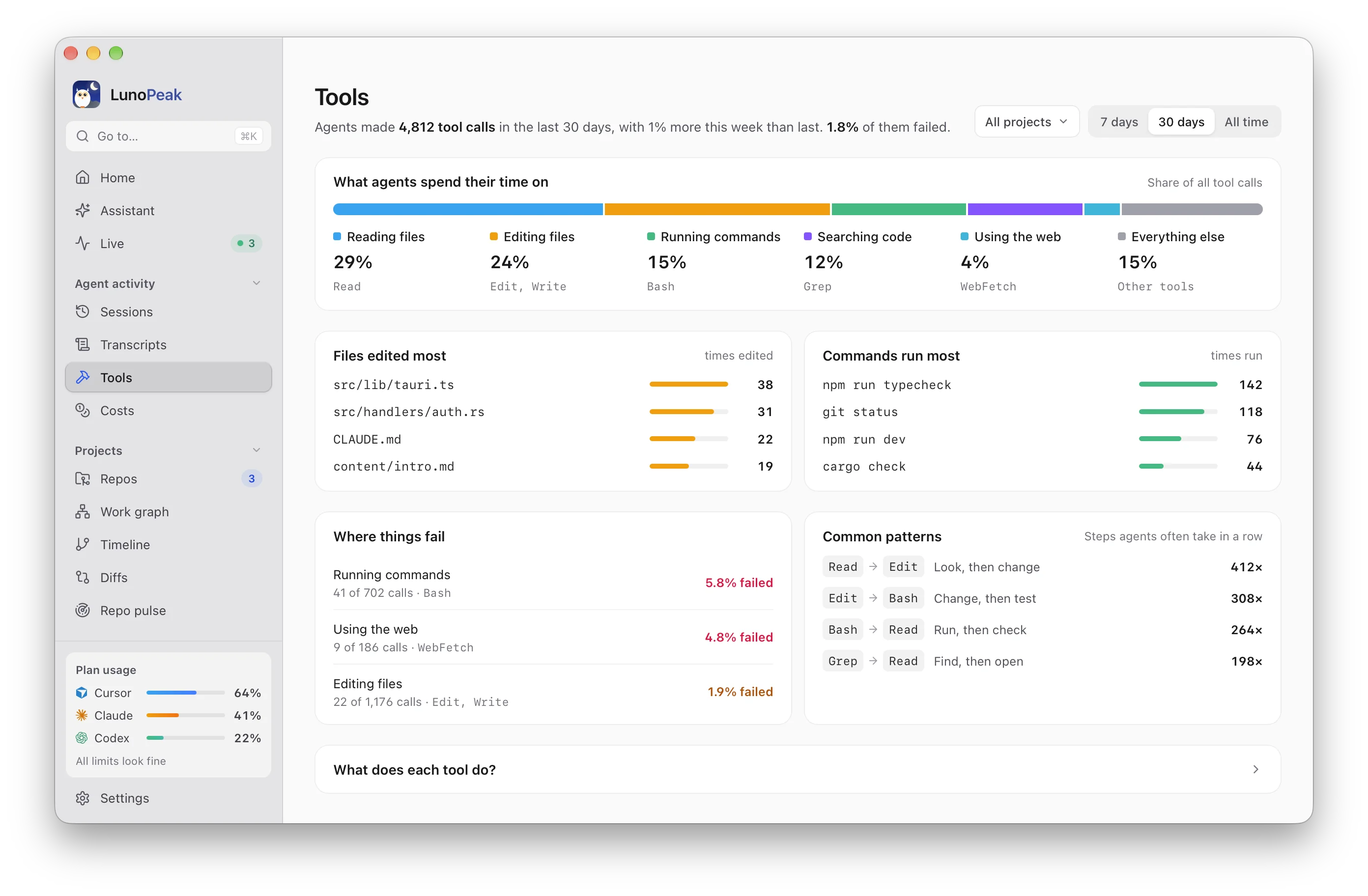
Tools
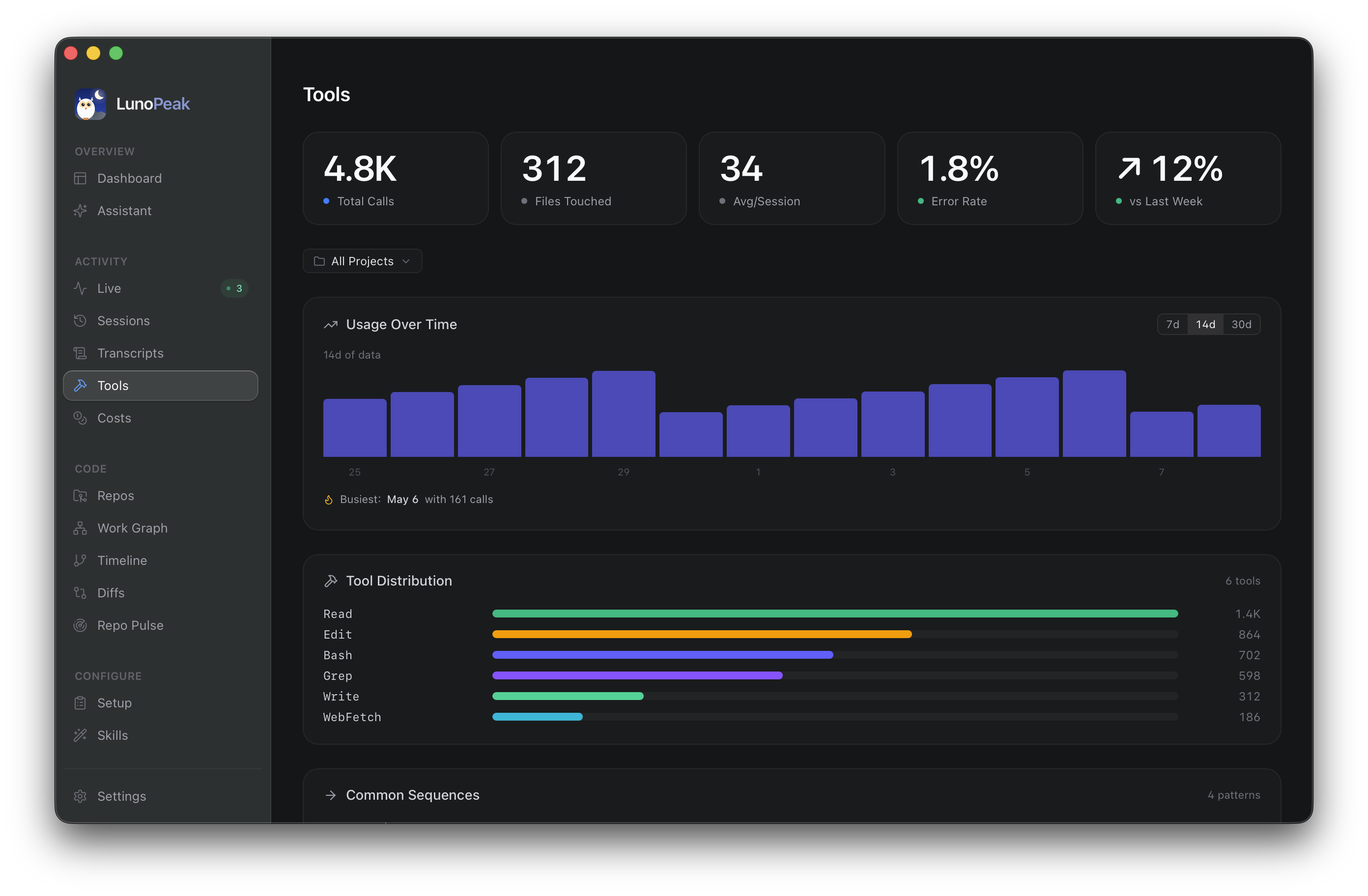
What agents spend their time on, the files and commands they touch most, where calls fail, and the steps they often take in a row.
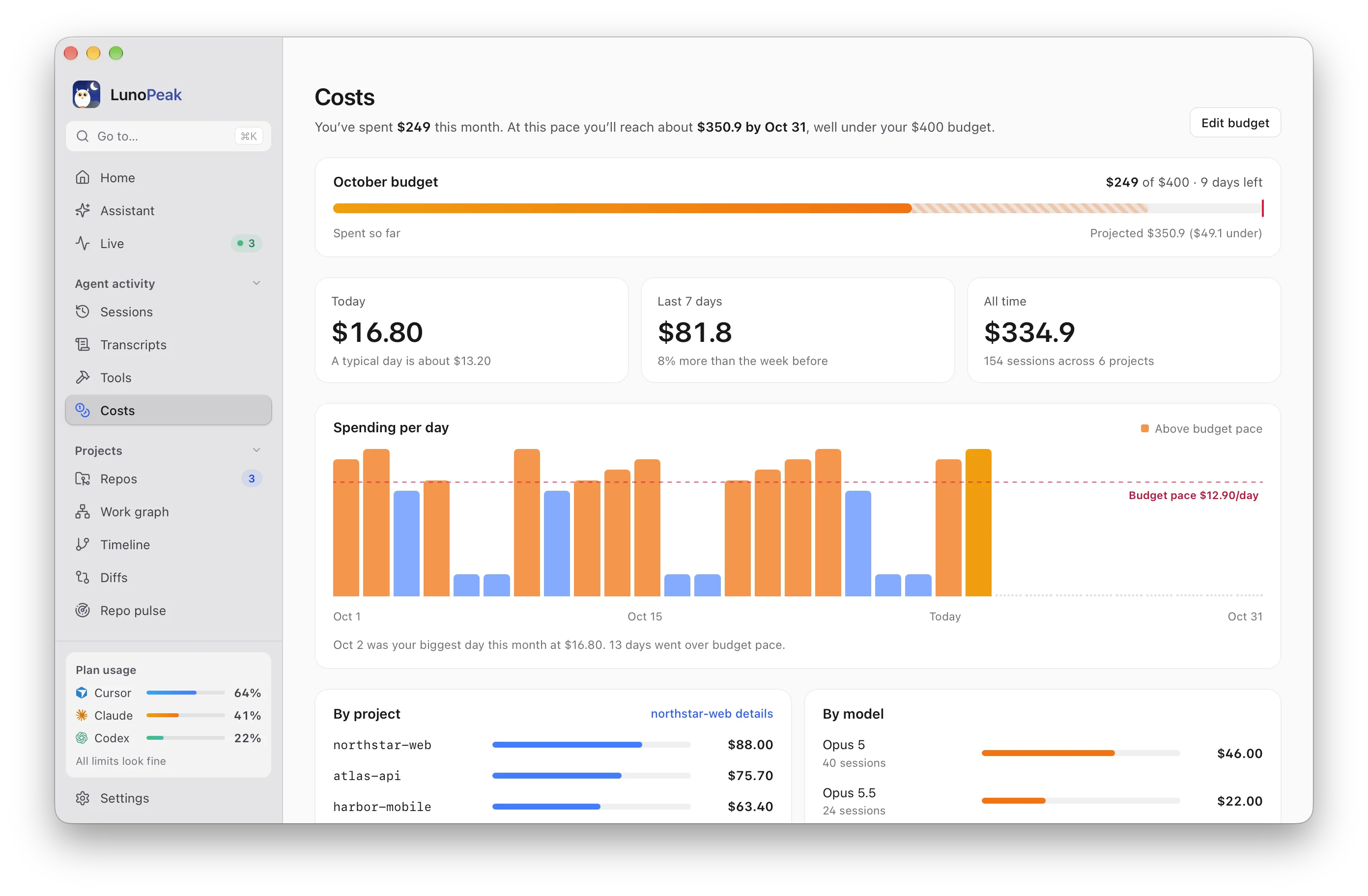
Costs
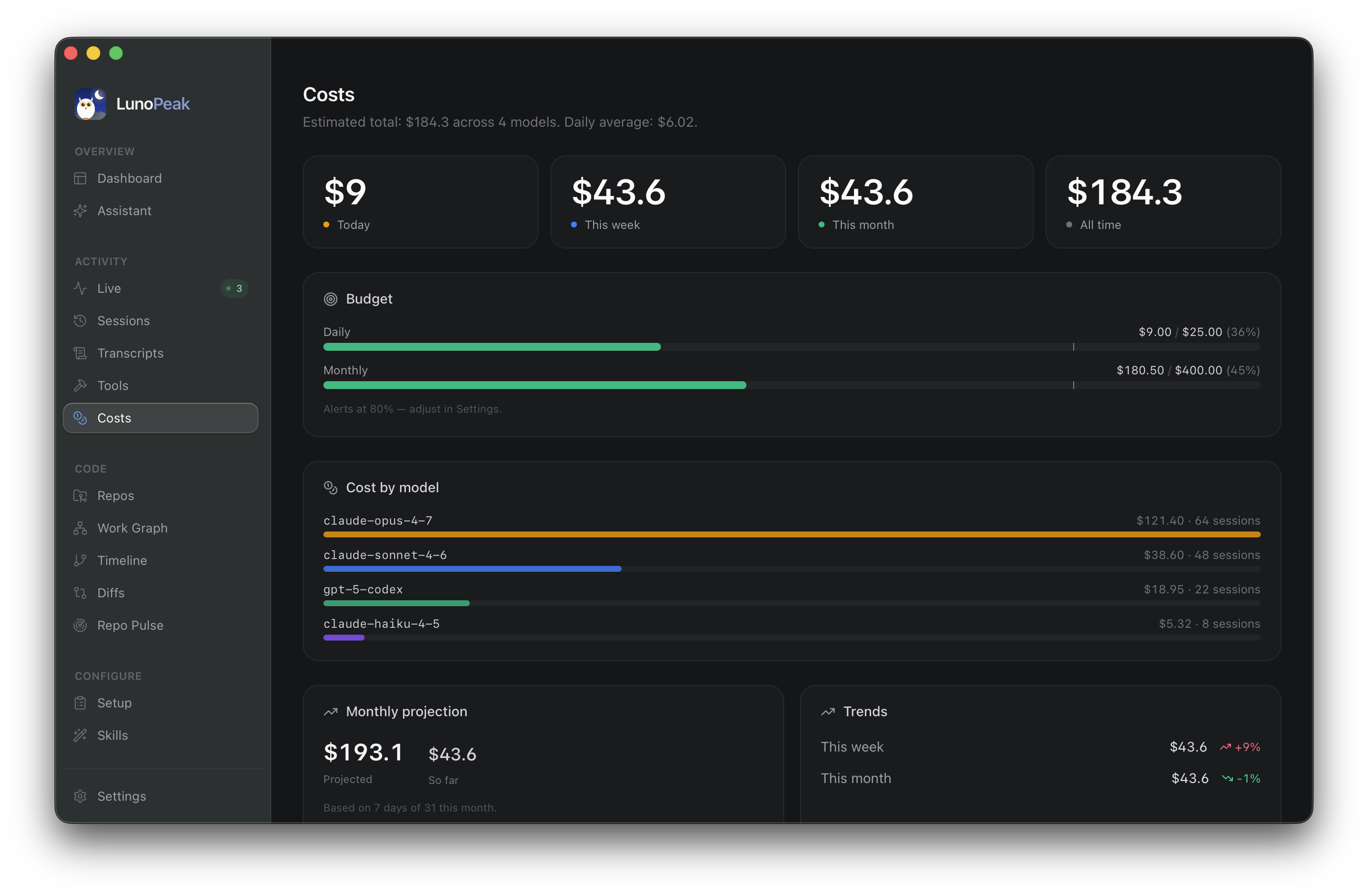
Spend against a monthly budget, with a month-end projection, spending per day and a breakdown by project and model, subagents included.
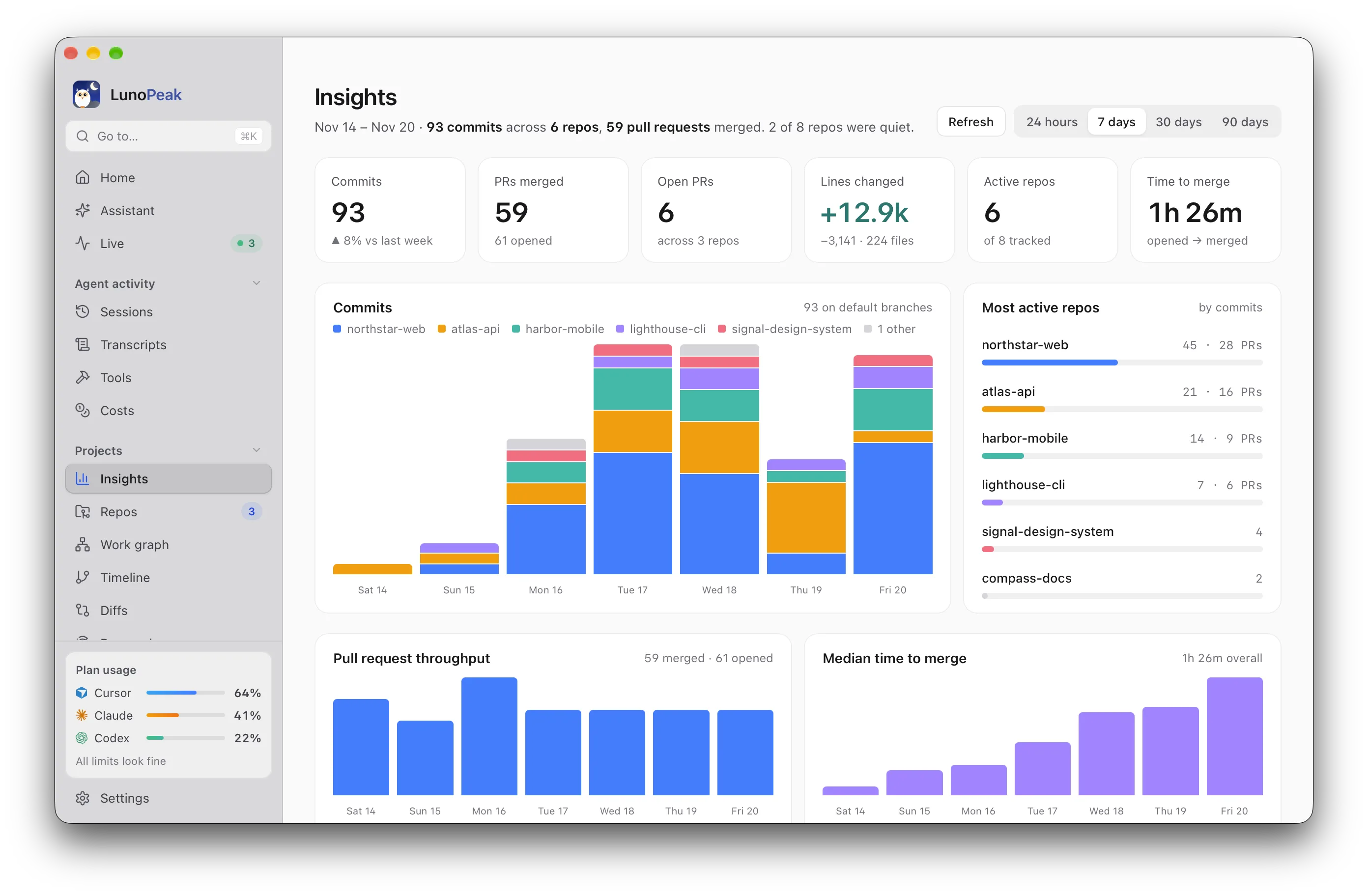
Insights
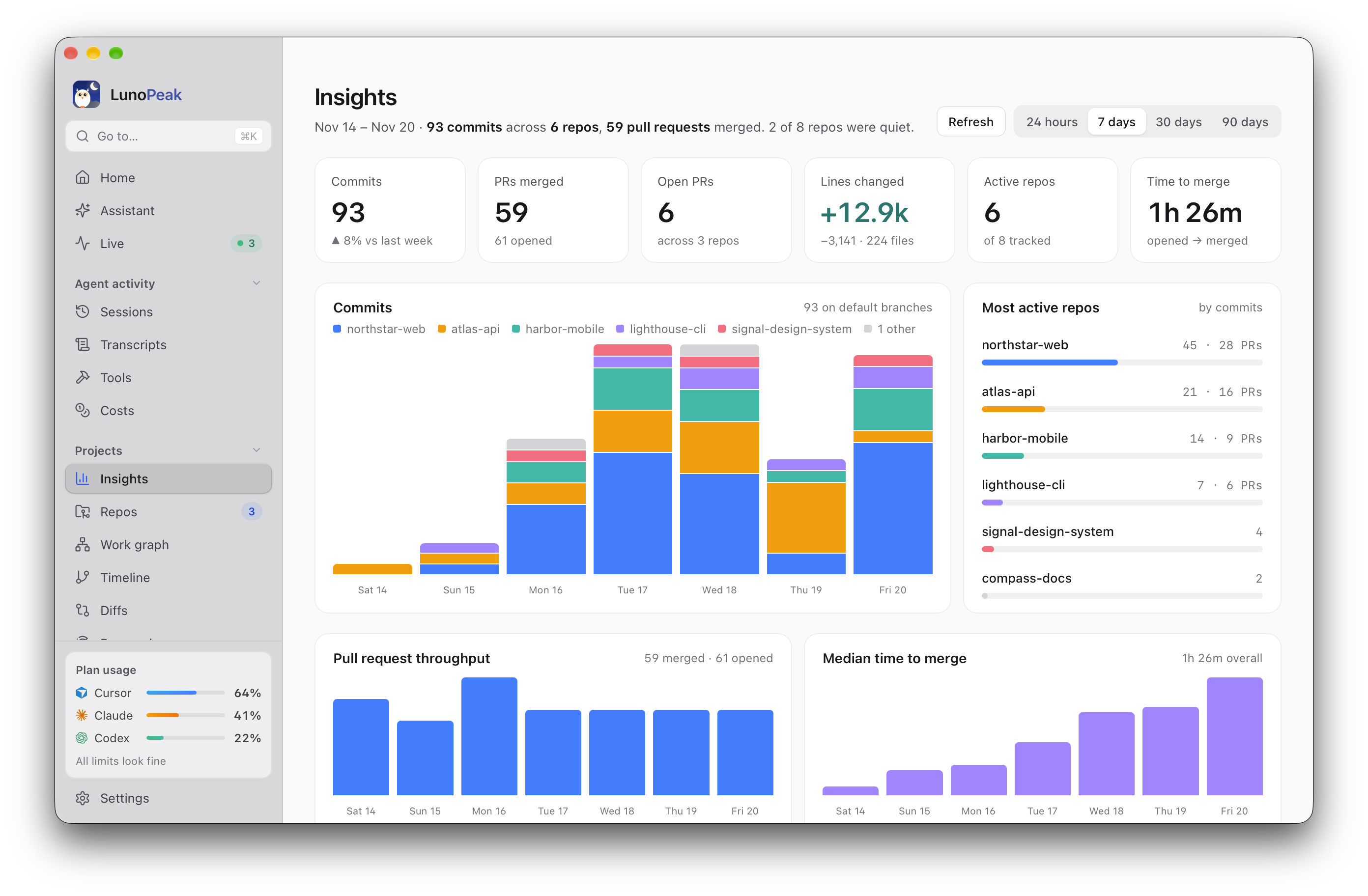
A GitHub-style Pulse for every repo at once: commits per day by repo, pull requests merged and how fast, lines changed and who committed. Click a repo for its own page.
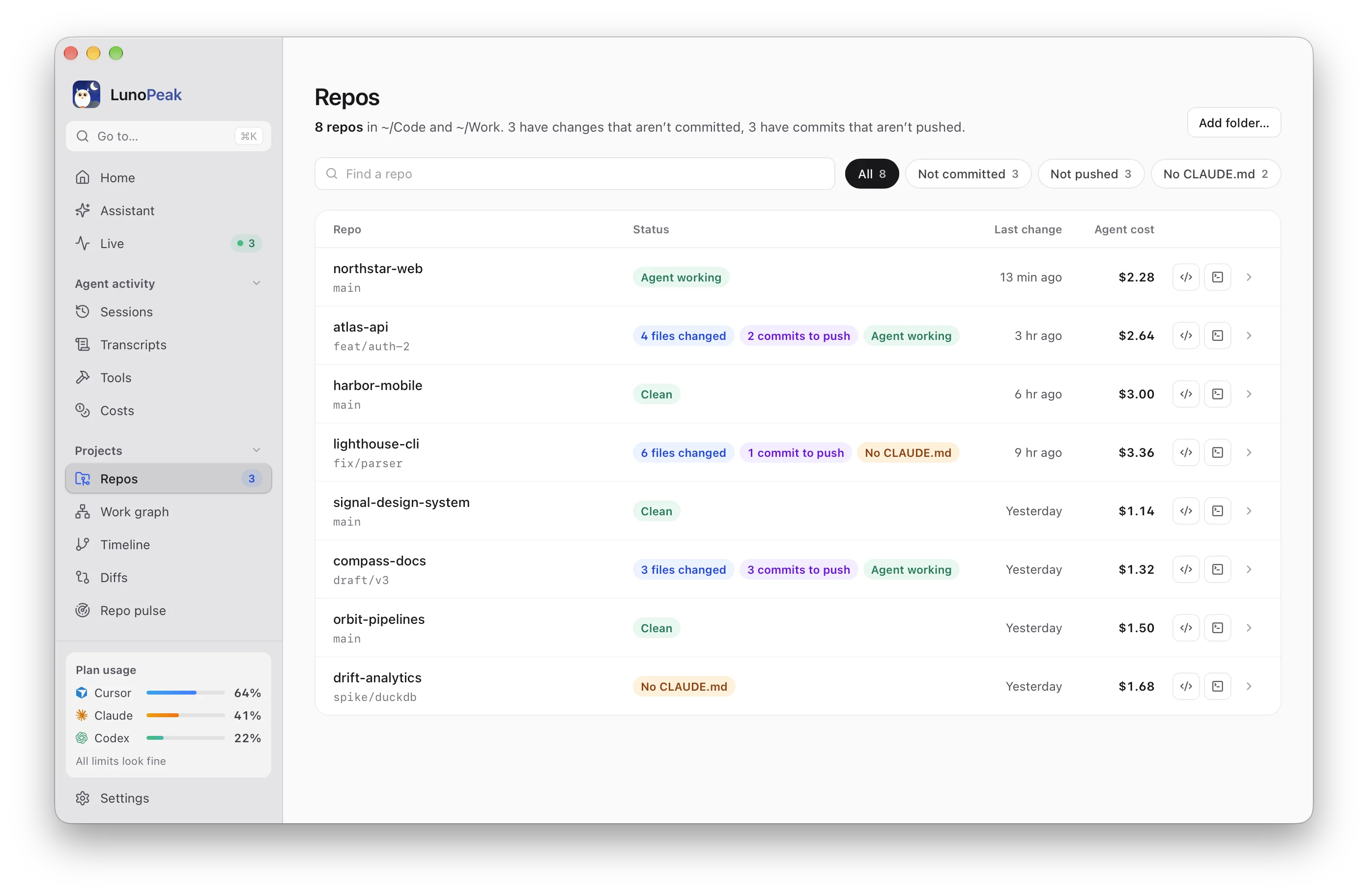
Repos
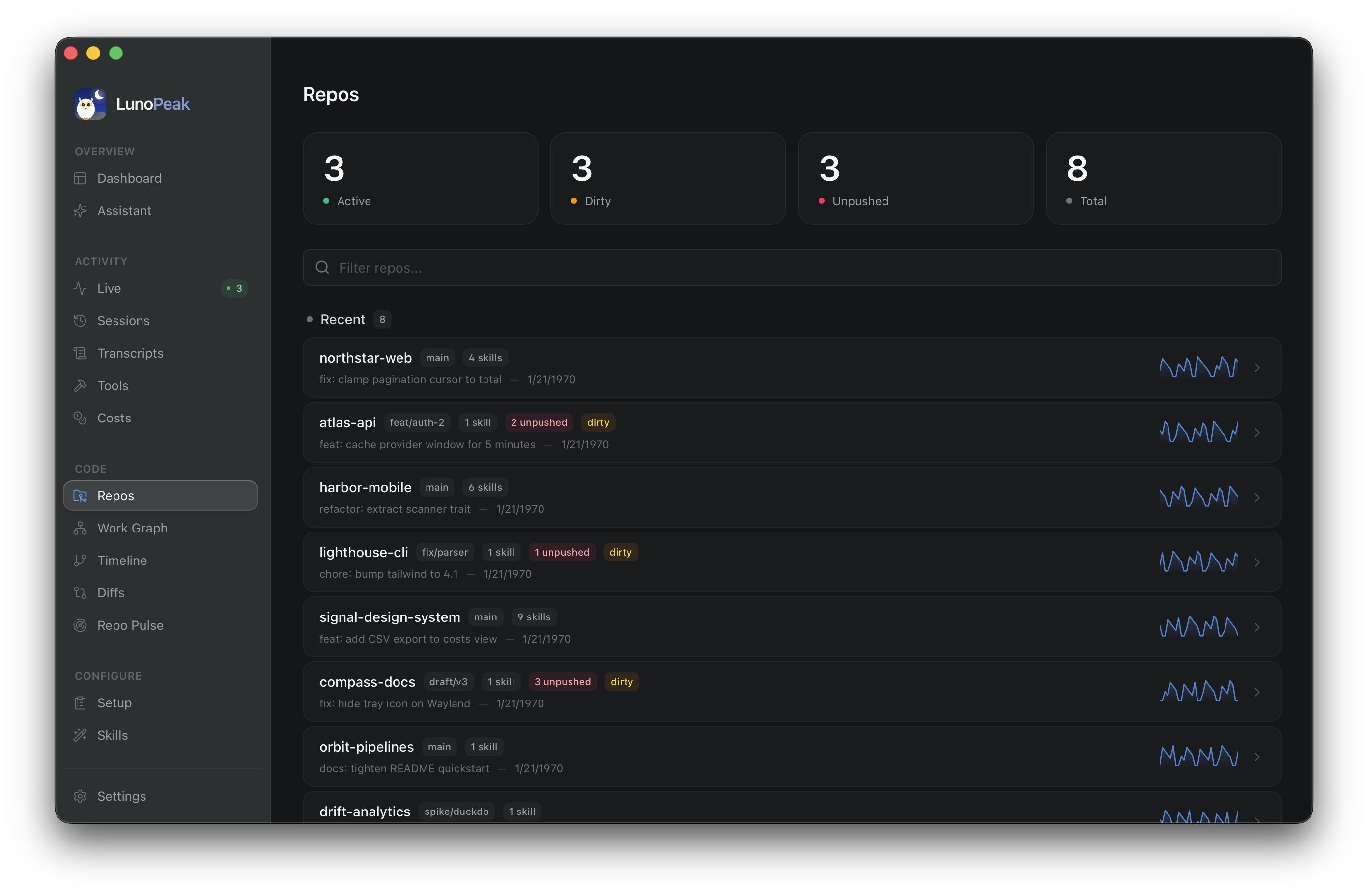
Every repo in one table: what isn’t committed or pushed, which have an agent working, which lack a CLAUDE.md, and what agents cost in each.
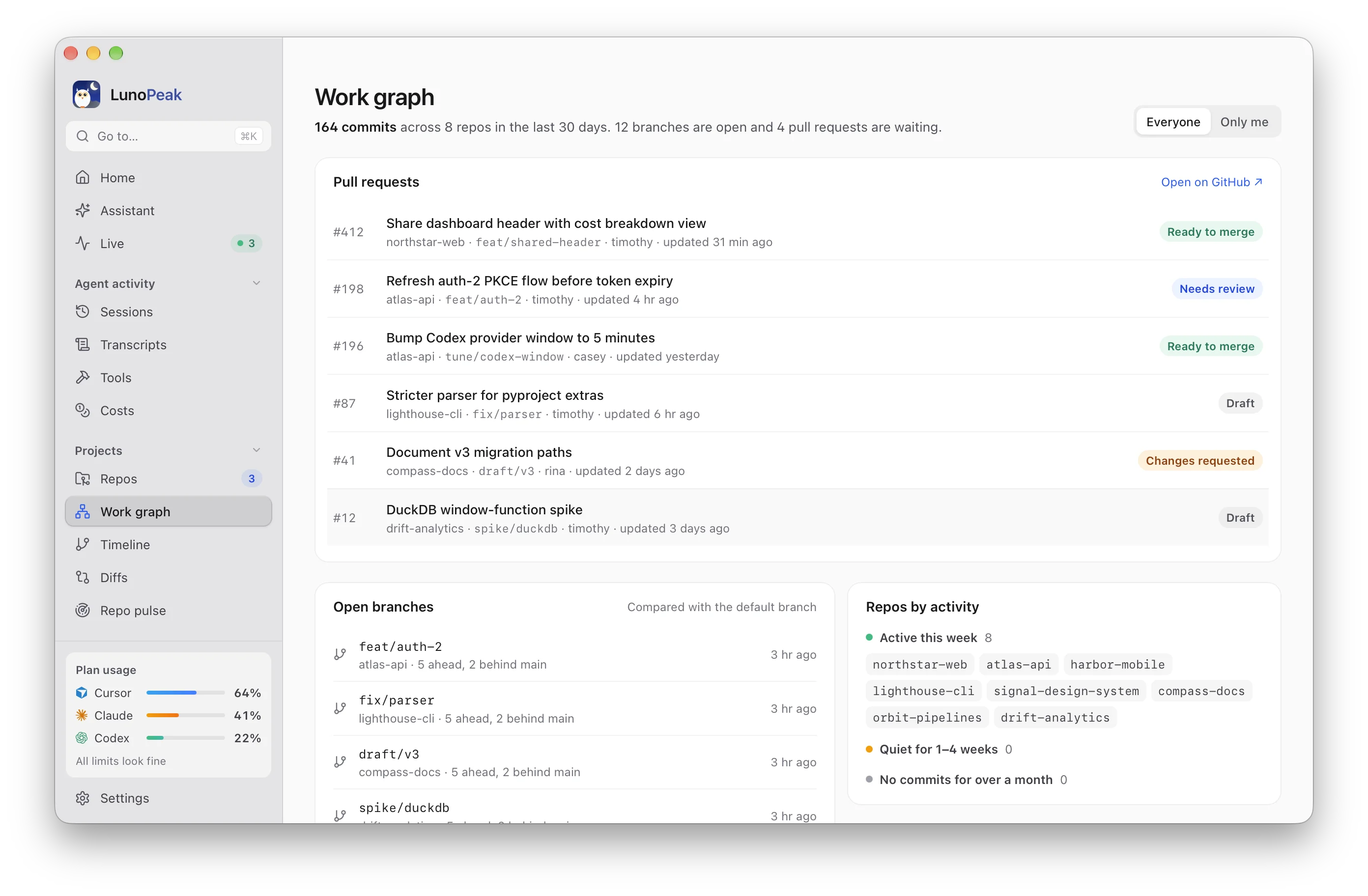
Work graph
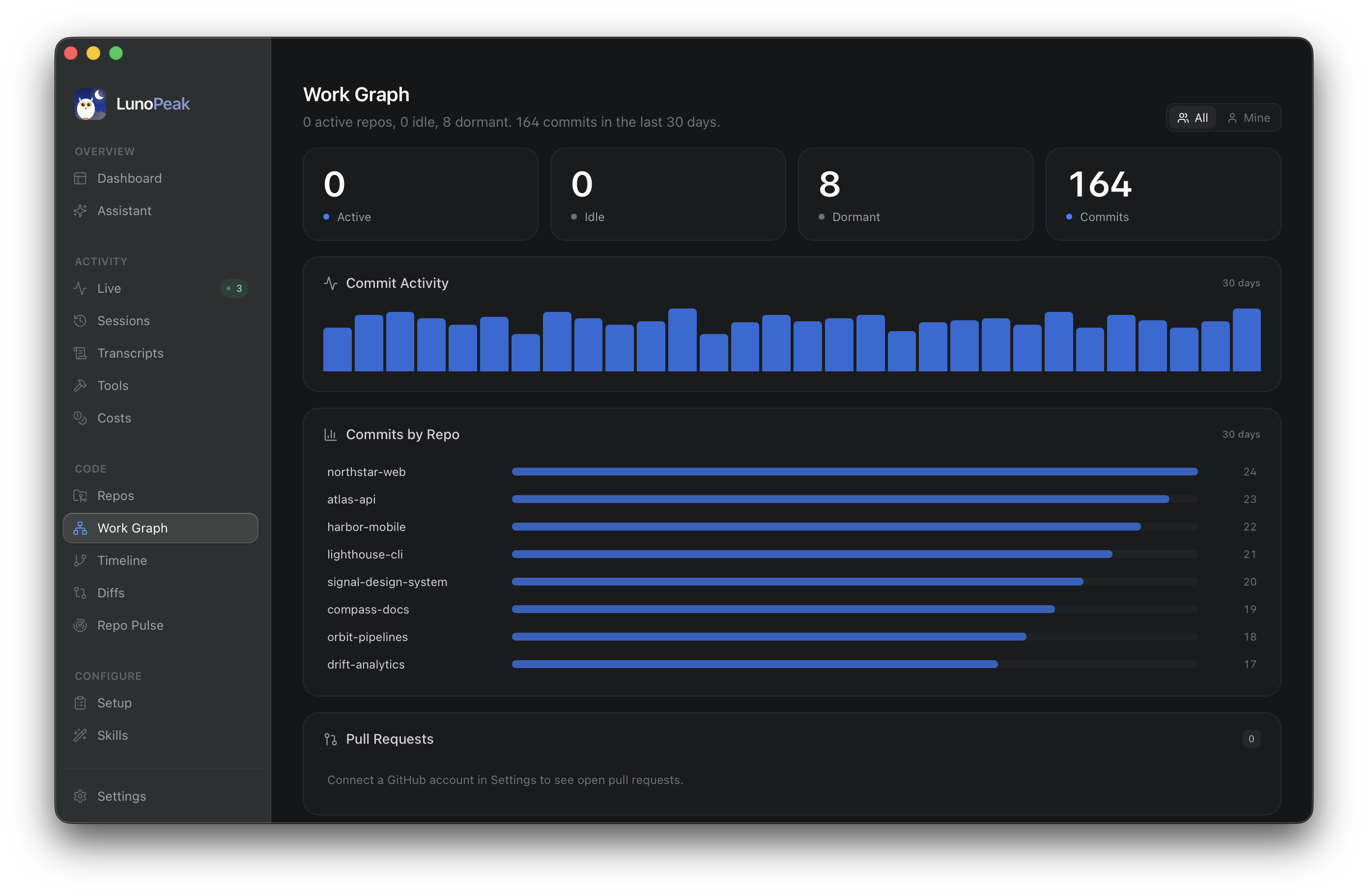
Pull requests, open branches and commits across every repo, with repos grouped by how recently they saw work.
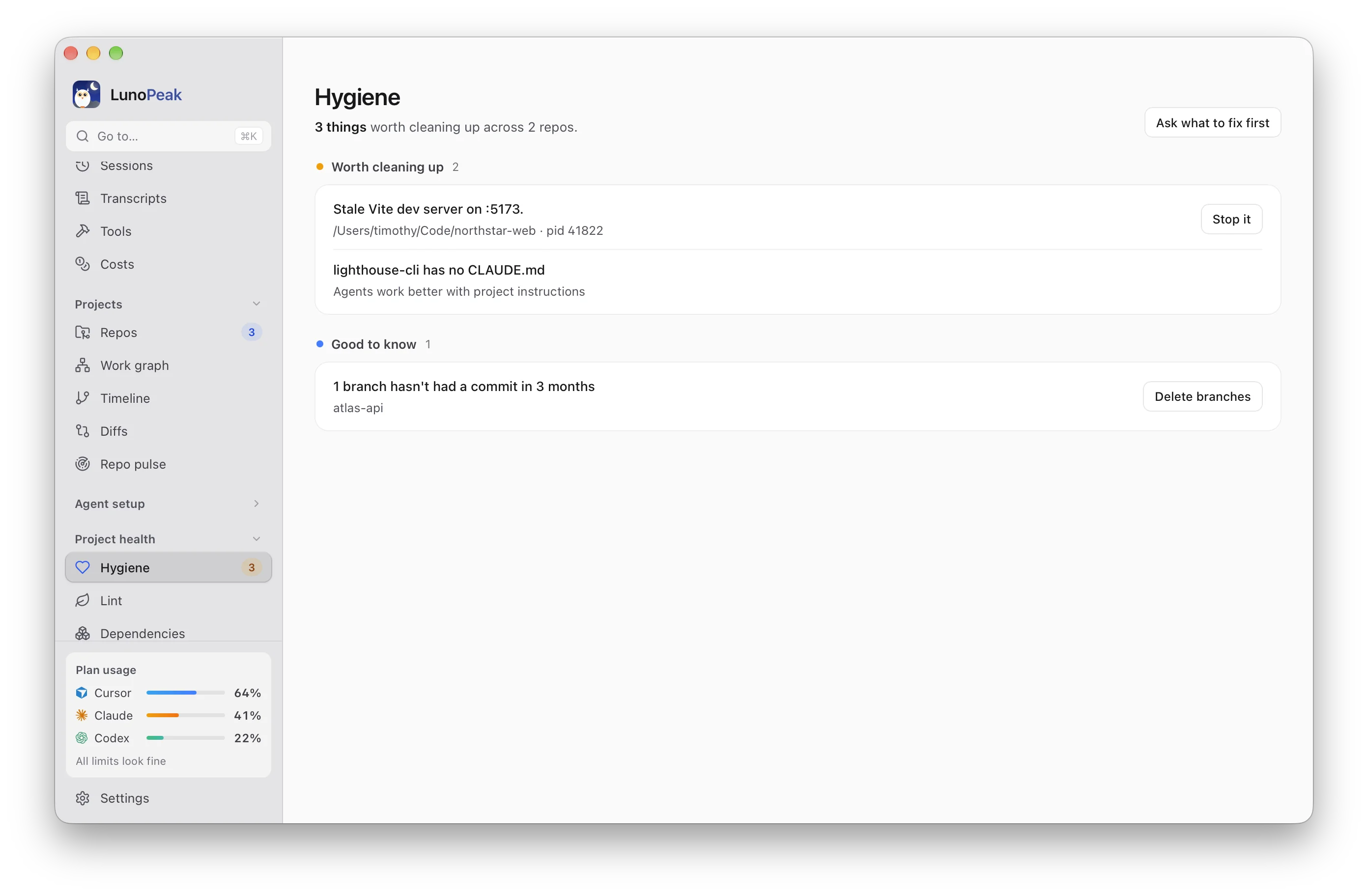
Hygiene
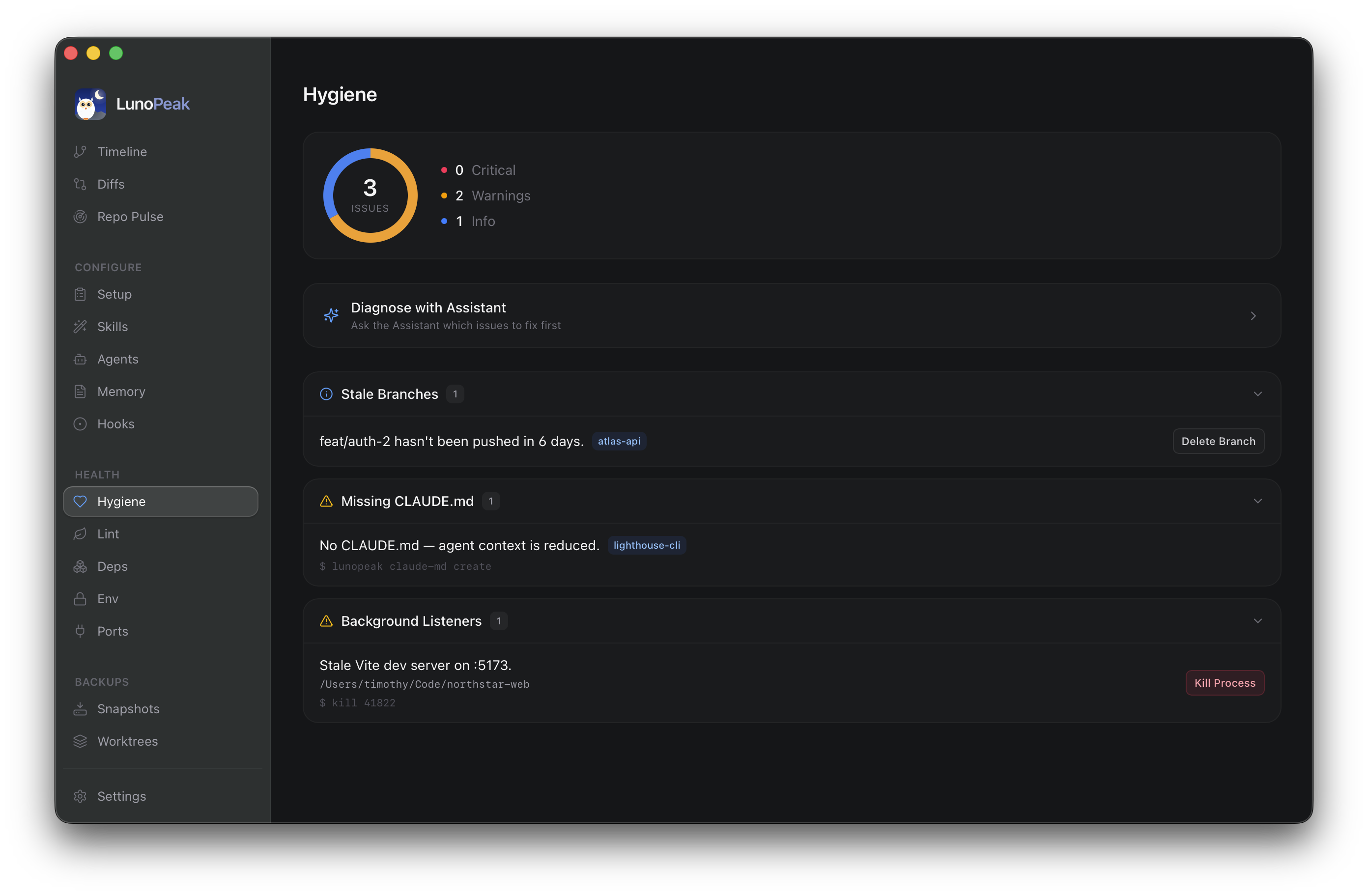
Things worth cleaning up, like a stale dev server or a repo with no CLAUDE.md, each with one button to fix it.
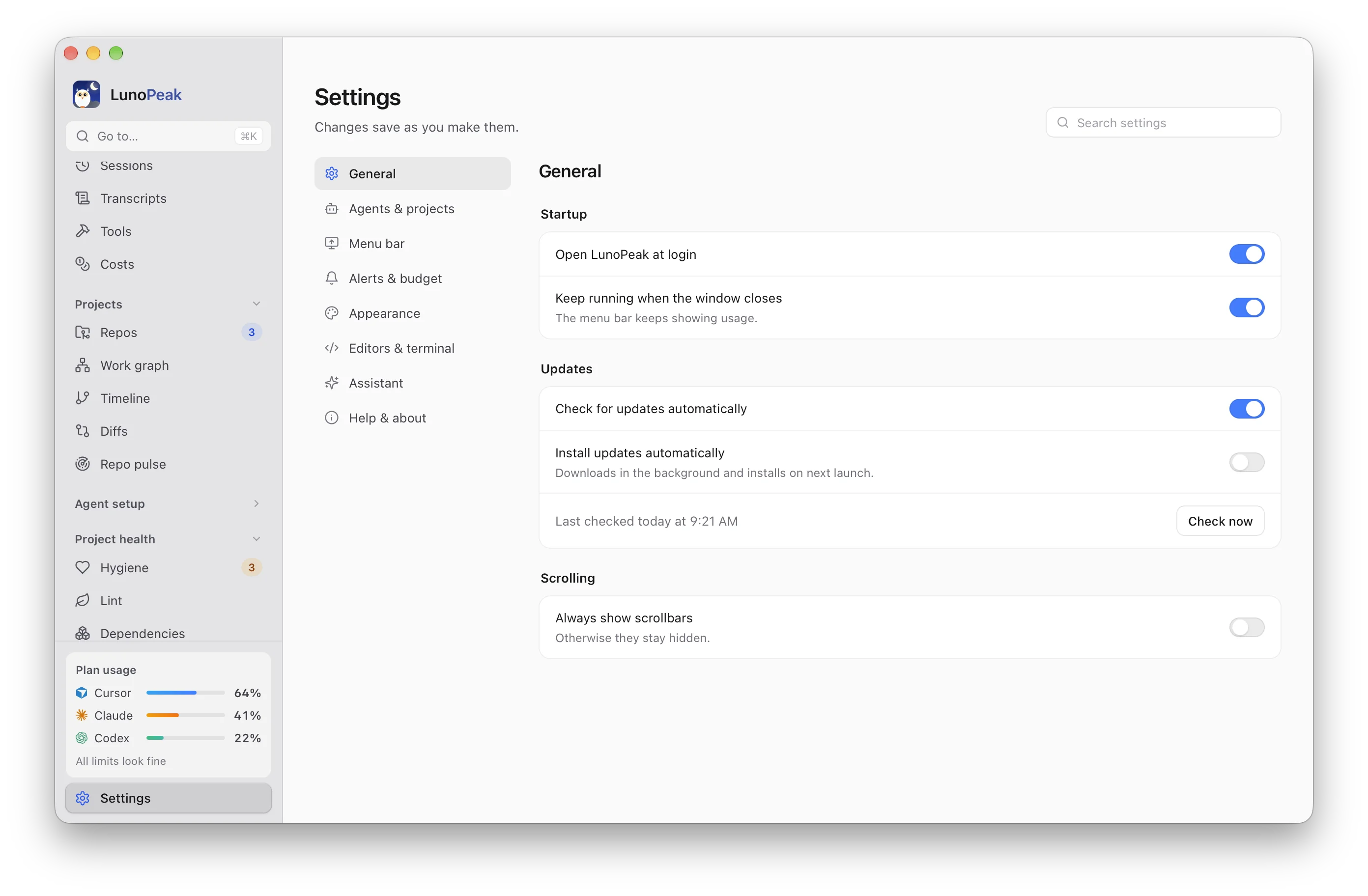
Settings
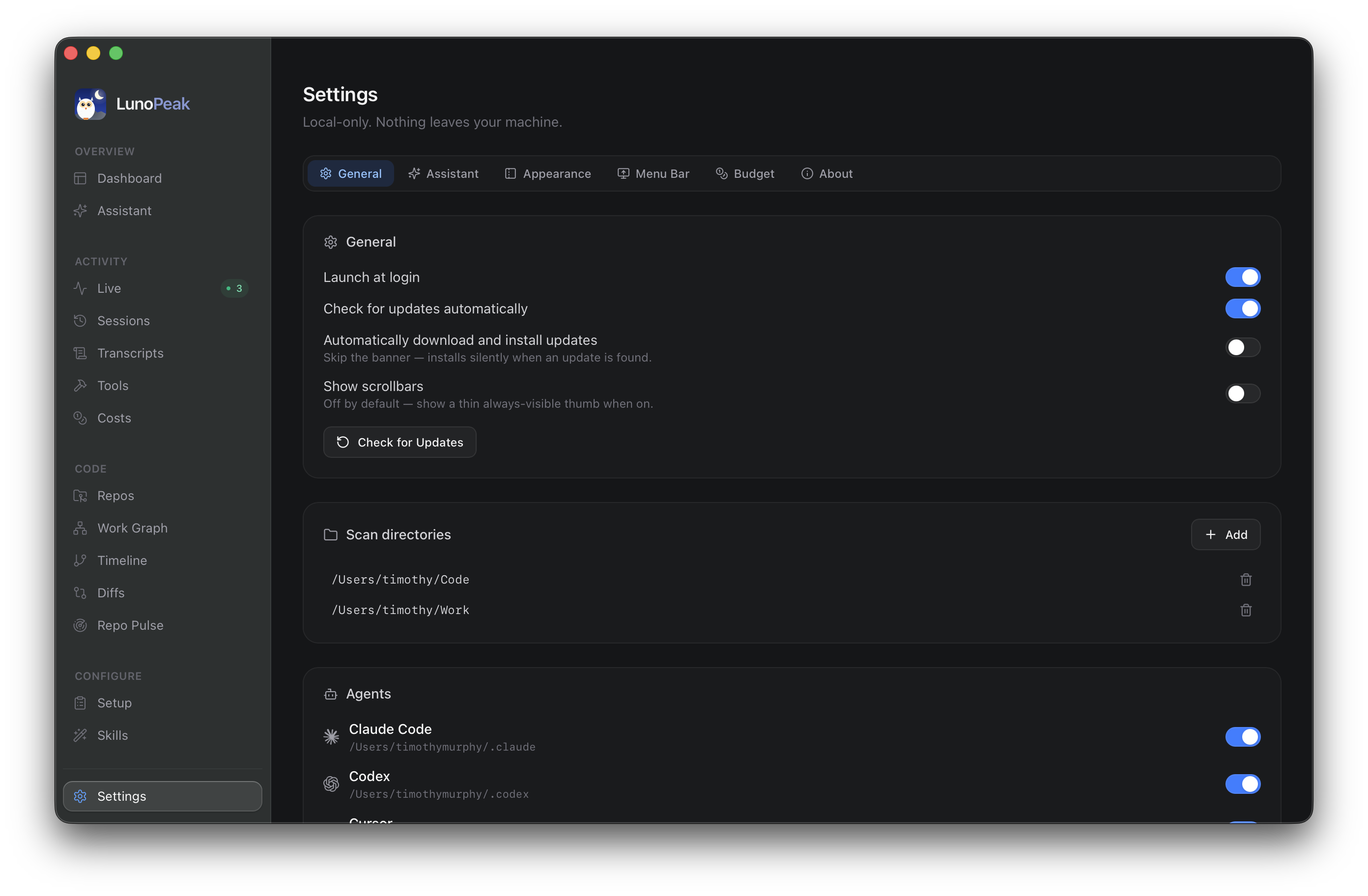
Startup, updates, menu bar, alerts and budget, appearance, editors and the Assistant, all in one place. Changes save as you make them.
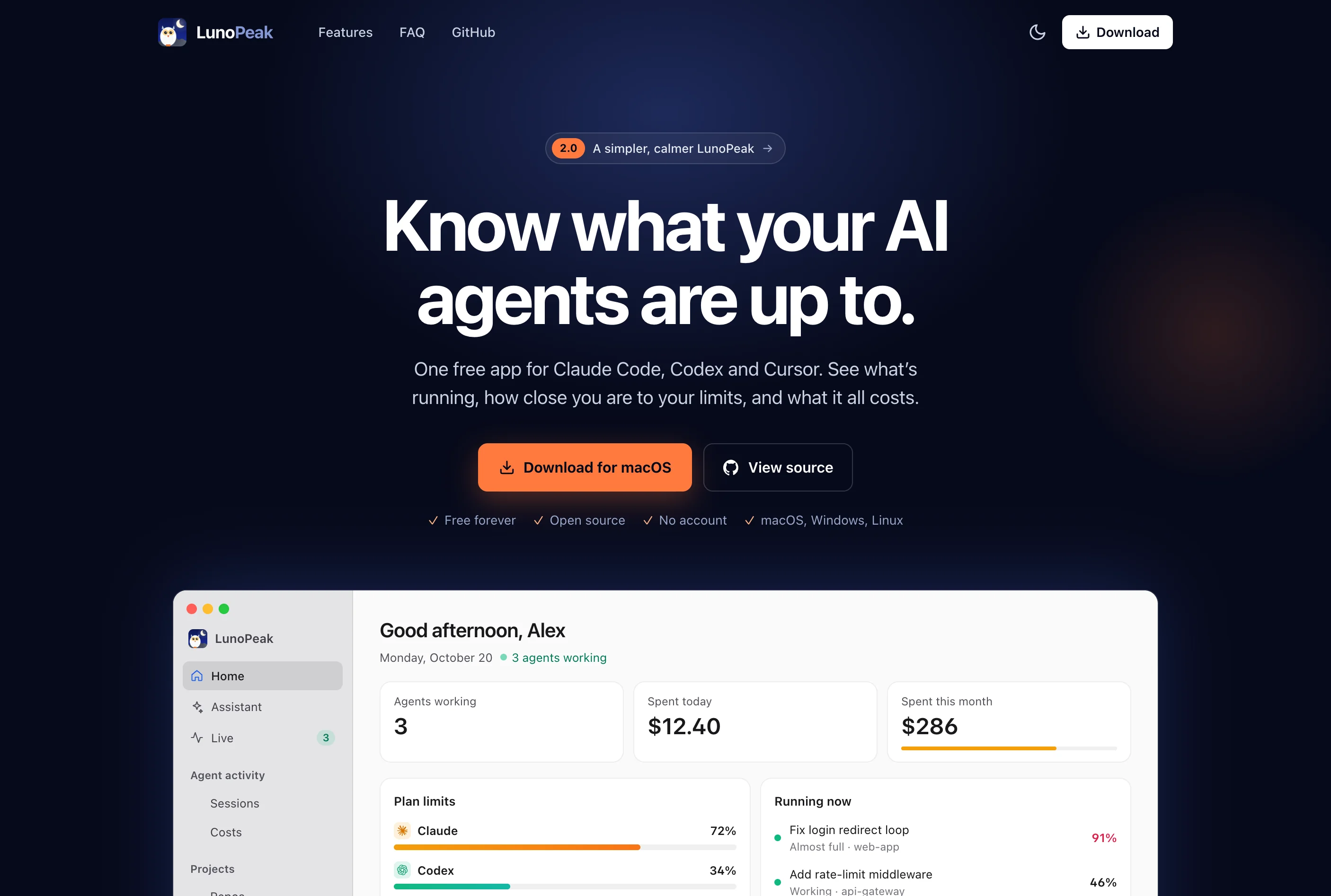
Marketing site
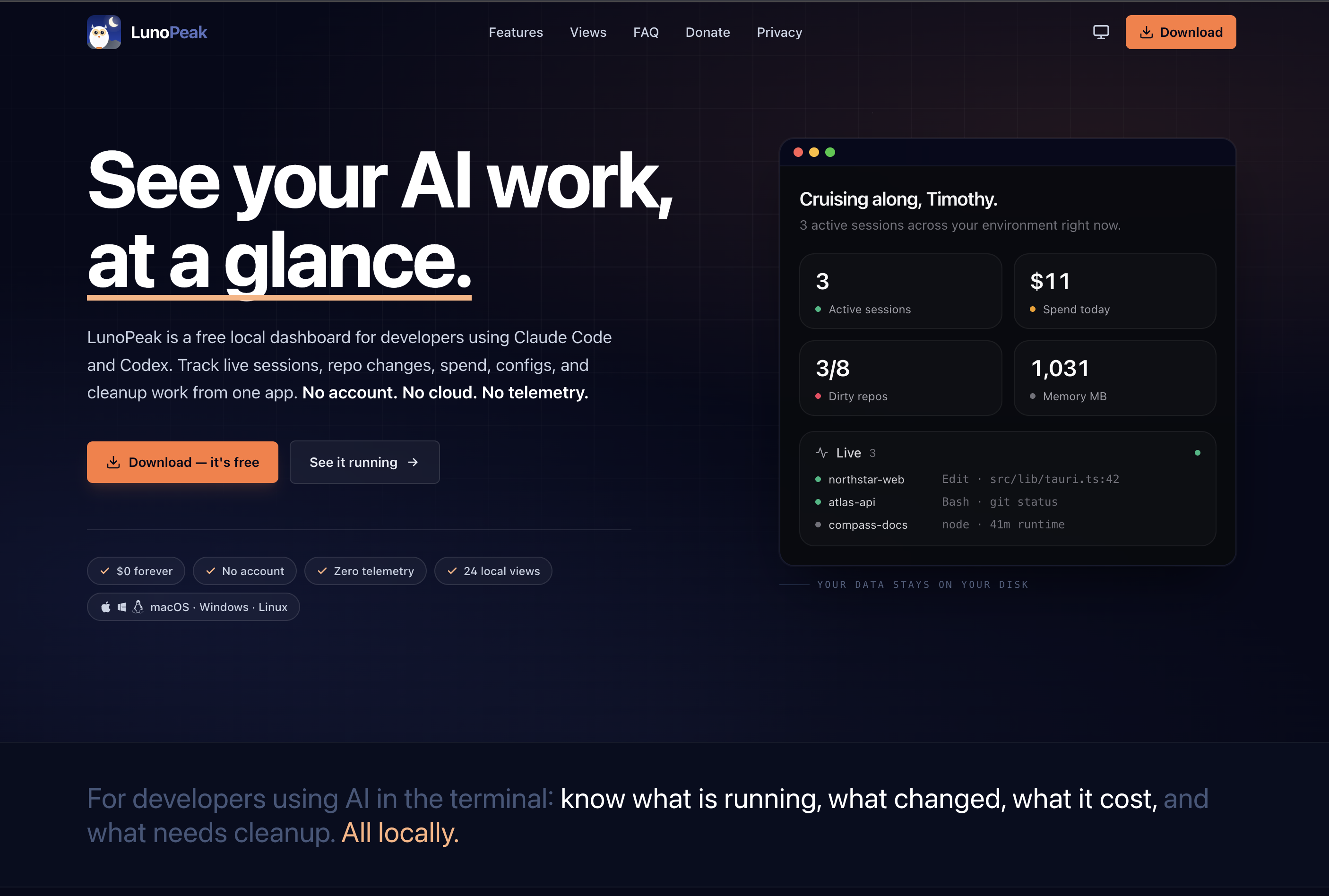
The lunopeak.com homepage above the fold, for use alongside any in-app shot.

Made by one developer.
Timothy Murphy is an independent developer building tools for working with AI agents. LunoPeak started as his own fix for juggling Claude Code, Codex and Cursor across a lot of repos. It’s free and open source because the data it reads belongs to the person using it.
One door, and it opens.
Press questions go to the same place bug reports do: a GitHub issue labeled
press.
Replies usually come within one business day.
Press kit for version 2.4.0